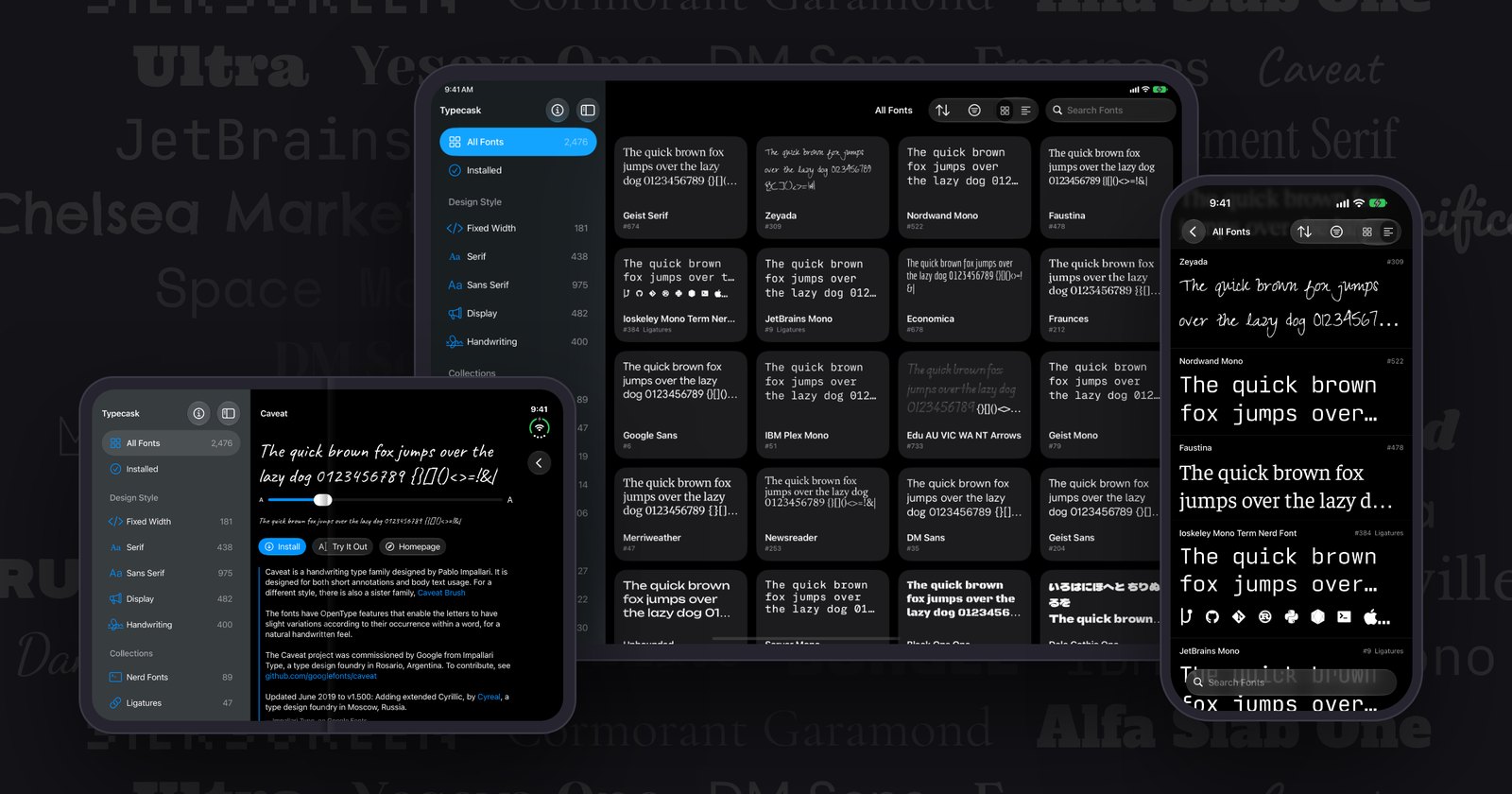
Your iPhone and iPad can install fonts from dedicated font apps. Once one is installed, it shows up in any app that supports it: Pages, Keynote, Numbers, Procreate, etc. Apple has allowed this since iOS 13, and almost nobody I’ve shown it to knew.
Typecask is the app I built to make that easy. It carries a little over 2,000 free fonts (every family on Google Fonts, plus the most popular fonts from Homebrew’s font casks). Pick one, tap Install, and it’s yours. It’s free on the App Store.
Why I built it
I’m a font nerd. On my Mac, installing a font is one line in Terminal (brew install --cask font-whatever), and Homebrew has already sorted out where it comes from and whether it can be shared. I wanted the same thing on my iPad.
So I searched the App Store for a font app. The top results wanted a weekly subscription before showing a single font, or put “premium” fonts behind in-app purchases, or ran a full-screen ad every few taps. Most of the fonts they were selling are open source, free to download anywhere else. The good fonts were there; the apps just felt like scams.
That seemed worth fixing. Typecask is free. It has no subscription, no in-app purchases, no ads, no login, and it collects no data (it makes no network requests of its own; fonts download from Apple’s servers like any other app content).
What it does
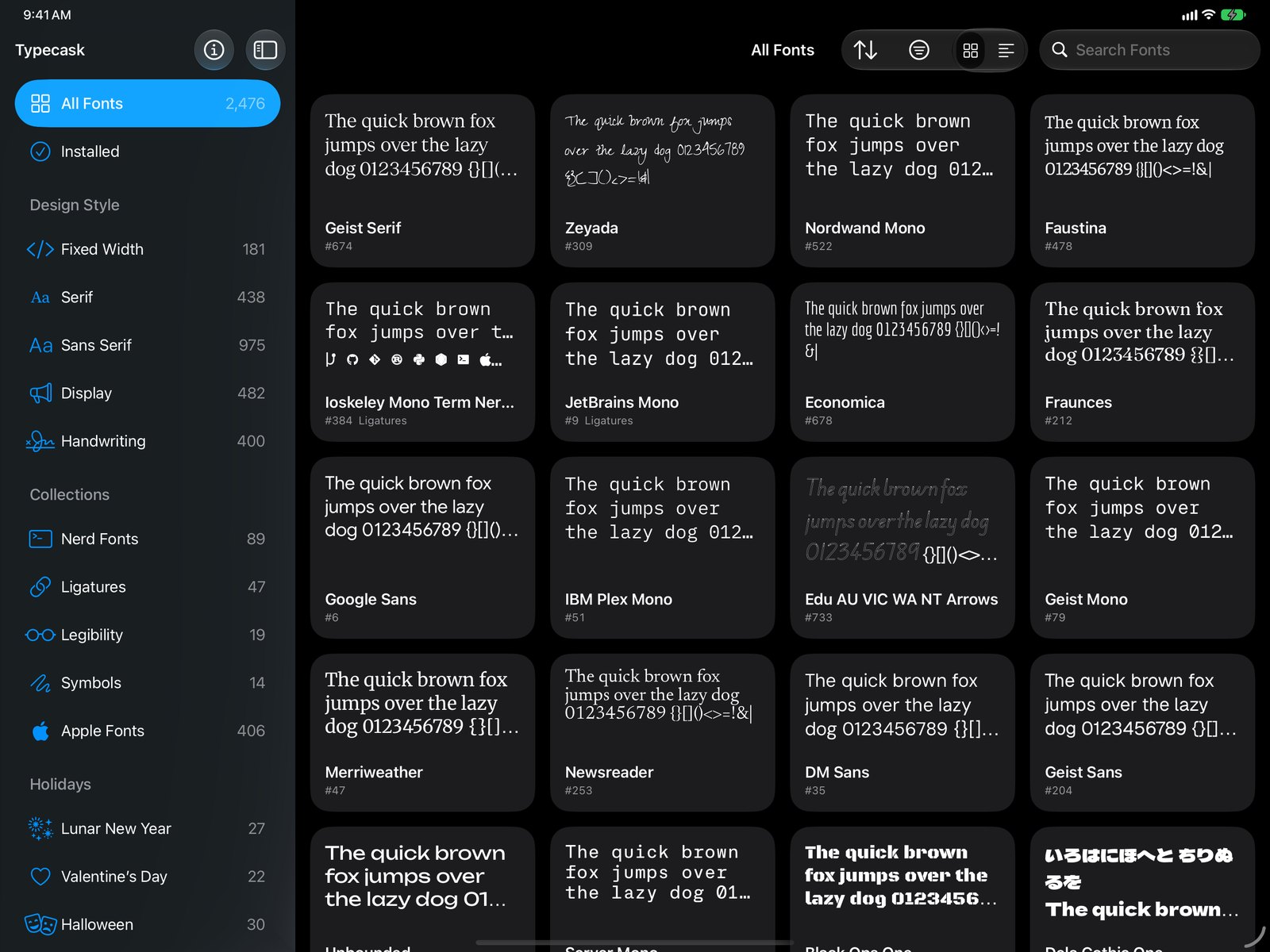
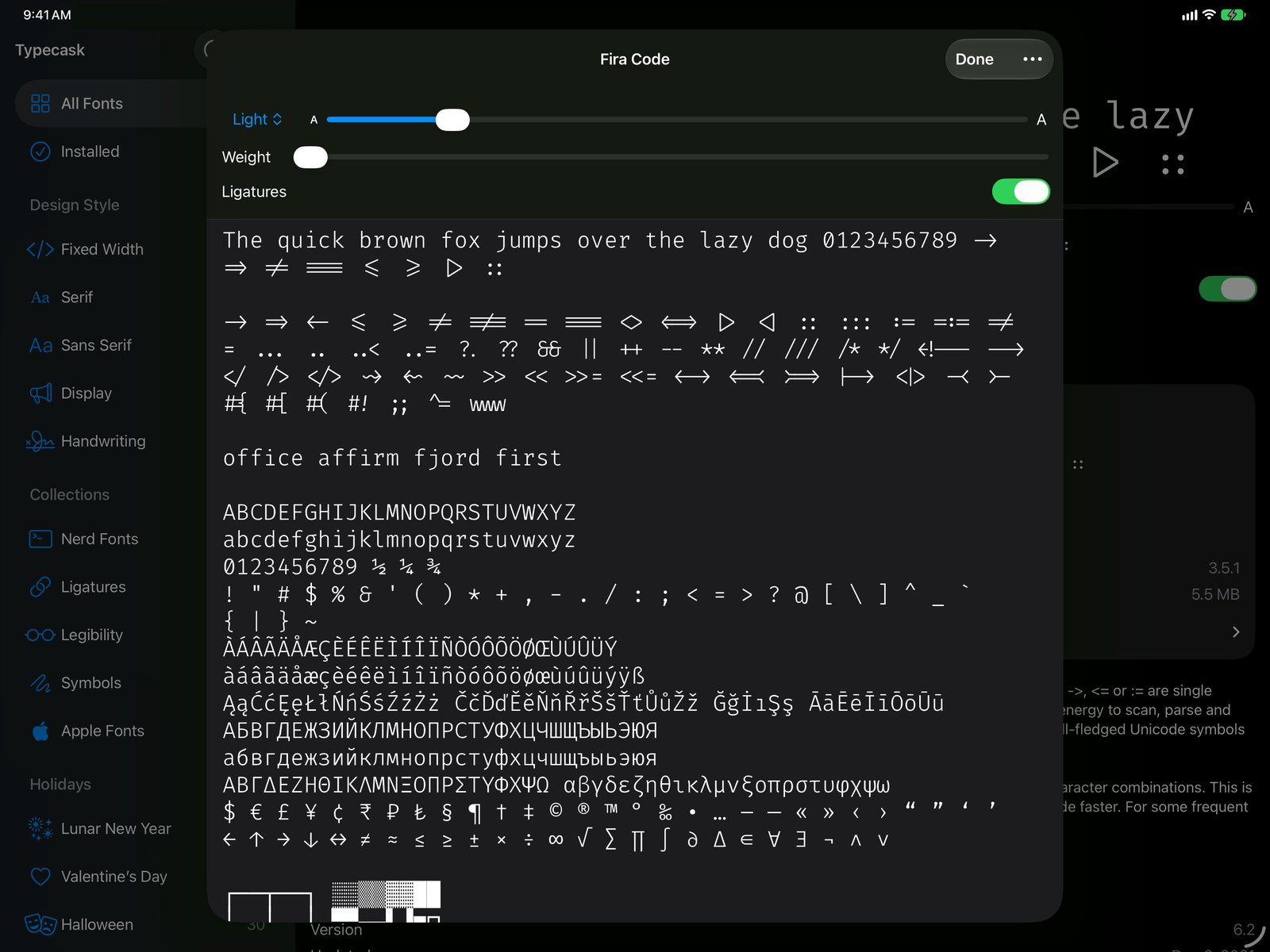
The gallery is my favorite part. Every font is previewed in its own type before you download anything, so browsing feels closer to flipping through a type specimen book than scrolling a store. You can browse by style, sort by what’s popular, trending or recently updated, or open one of the collections: Nerd Fonts for your terminal, coding fonts with ligatures, Symbols, Apple’s own fonts, sets for holidays, etc. When one catches your eye, Try It Out lets you type in it before you install anything, with every style, weight and ligature it has.
What I care about most are the little things. They’re the difference between a well-designed app and slop, and Typecask has a lot of them:
- Install a font using Siri AI, Shortcuts or Spotlight.
- A Legibility collection: fonts their designers made to be easy to read, for low vision, dyslexia or beginning readers.
- First-class accessibility. VoiceOver reads each font’s name and whether it’s installed, layouts reflow at the largest text sizes, and status is never shown by color alone.
- A size slider on every font’s page, from 12 to 144 points, so you can judge a face at the size you’ll actually use it.
- A font and its Nerd Font version share one card, with a choice of which to install, so the gallery doesn’t show you the same font twice.
- Coding fonts that draw
->and!=as arrows have a switch to show the characters underneath. - Installed fonts stay put through app updates, and when a release carries a newer version of one you have, Typecask offers the update.
I also think it’s a nice piece of design, though I’m biased.
If you don’t write code
If you’ve wanted to try building apps with AI but didn’t know where to start, Typecask is an easy way in. You don’t need to know Xcode or GitHub: describe what you want, and your agent does the rest. Fill in the first line and paste this into Claude, ChatGPT, or whatever your AI tool of choice is:
My suggestion for Typecask (github.com/dave-atx/typecask): [a font you want added, a bug you hit, or a change you'd like].

Open an issue or a pull request for it, following the repo's own guidelines. Show me what you'll submit before you post it.
If you write code
Typecask is open source under Apache 2.0, and the repository is set up for people (and agents) to find their way around. The docs folder covers how it works. A few parts I think are technically interesting:
- The font pipeline. A Python script locks every font’s source, then builds the catalog, previews and font packs from that lock. The build is byte-identical on macOS and Linux, so a fonts update shows up as a clean diff in a pull request.
- Installing system-wide. Fonts ship as On-Demand Resources and register through Core Text. Apple deprecated On-Demand Resources in iOS 27, but its replacement (Background Assets) can’t install fonts system-wide, so Typecask stays on the old path for now.
- Living under Apple’s 1,000-pack limit. On-Demand Resources caps an app at 1,000 asset packs, and Typecask carries over 2,000 font families. A family of 1 MB or more gets its own pack; smaller ones share 450 packs, assigned by a hash of the name so each keeps its pack as others come and go. That’s 900 packs at most, and installing a small font downloads a few hundred KB of its pack-mates along with it.
- Keeping it small. Shipped whole, with every file each font installs on a Mac, the catalog would be over 8 GB. Typecask carries about 4 GB, all of it as On-Demand Resources, so the App Store download stays small and a font downloads only when you install it. Monaspace’s Nerd Font is 499 MB in full; Typecask ships 9 MB of it. The gallery draws from previews cut down to the sample text. Each family ships its variable font if it has one, otherwise only Regular, Italic, Bold and Bold Italic. Files over 100 MB and heavy niche builds are left out, and 2,000-odd license files (most of them the same OFL) compress from 20 MB to 0.5 MB.
- Licenses. Every font carries its own license, which you can read on its page in the app. A font whose license can’t be found doesn’t ship.
Try it
Typecask is free on the App Store for iPhone and iPad. The full catalog is browsable at typecask.app, and the source is on GitHub. Go find a font you like and put it on your phone.